

Xhorse Aftermarket 2nd Generation Cadillac Style 4 Button Wired Flip Remote- (XKCD06EN)
XHR81The Xhorse XKCD06EN Wired Remote Key is designed for use with Xhorse VVDI tools, including the VVDI2 (XHH3), VVDI Mini Key Tool (XHH8), VVDI Key Tool Max (XHH22 XHH12), and VVDI Key Tool Plus (XHH16).
Please Note: There is no transponder chip installed in this Cadillac Type remote. You can generate or re-generate this remote by using any VVDI key tool. The battery must be removed before connecting the remote with the cable (socket connection).
Please Note: This remote belongs to the XK SERIES, the colour of the packaging is RED
How to generate Xhorse wired remote:
1. Open VVDI wired remote and remove battery
2. Connect Xhorse remote data cable to white connector on the Xhorse remote PCB board and plug into VVDI Key Tool
3. Using the VVDI Key Tool, select the remote you would like to generate
4. Disconnect cable, reinsert battery, and reassemble remote
5. Program the remote to the vehicle, same as you do to an OEM remote
6. Add transponder chip and program it to the vehicle if required
Please Note: Refer to XHorse App for Application which is downloaded through Play Store/ AppleStore Xhorse – Apps on Google
Please Note: For replacement blades, refer to our Universal Remote Blades
1st Generation: XKCD02EN (XHR34)
2nd Generation: XKCD06EN (XHR81)
Items You May Need
Replacement Battery:
CR2032 | CR2032c
Replacement Pin:
VXRP2
Product Info
- Manufacturer XHorse
- OEM or Aftermarket Aftermarket
- Battery CR2032
- Buttons 4 Buttons
- Remote Style Flip
- Button Configuration Lock | Unlock | Boot | Horn
Similar Products
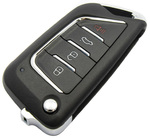
Same Day Dispatch
UK customers will need to order before 4pm (3pm for international customers) Monday's to Friday's (excluding UK bank holidays) to receive same day dispatch.
Back Orders
For UK customers, out of stock products will be added as a back order to your account (Unless otherwise stated) and will be dispatched and charged once the product is back in stock.
No order history found for [XHR81].